How to Change Clothes in a Photo with AI: Step-by-Step Guide
Learn how to change clothes in any photo with an AI clothes changer: pick a dress or suit, or upload a reference outfit, and keep your face and pose.
· 3 min read
Trying on clothes used to mean a fitting room, a photoshoot or hours in a photo editor. With an AI clothes changer, you can see yourself in a new outfit from a single photo — in under a minute and without any editing skills.
This guide walks through how it works, how to get realistic results, and what you can use it for.
What is an AI clothes changer?
An AI clothes changer is an image-editing tool that replaces the outfit in a photo while keeping everything else the same: your face, hairstyle, skin tone, body shape, pose, background and lighting. Instead of cutting and pasting clothes like a traditional editor, the AI redraws the outfit so the fabric drapes, folds and catches the light naturally on your body.
With AI Clothes Changer you can start from curated presets — elegant women's dresses and sharp men's suits — or upload a reference image of any garment you like.
How to change clothes in a photo, step by step
1. Upload your photo
Choose a clear photo of yourself. Full-body or waist-up shots work best, ideally facing the camera with good, even lighting. JPG, PNG and WebP are supported. (See our photo tips for virtual try-on for more detail.)
2. Pick an outfit
You have two options:
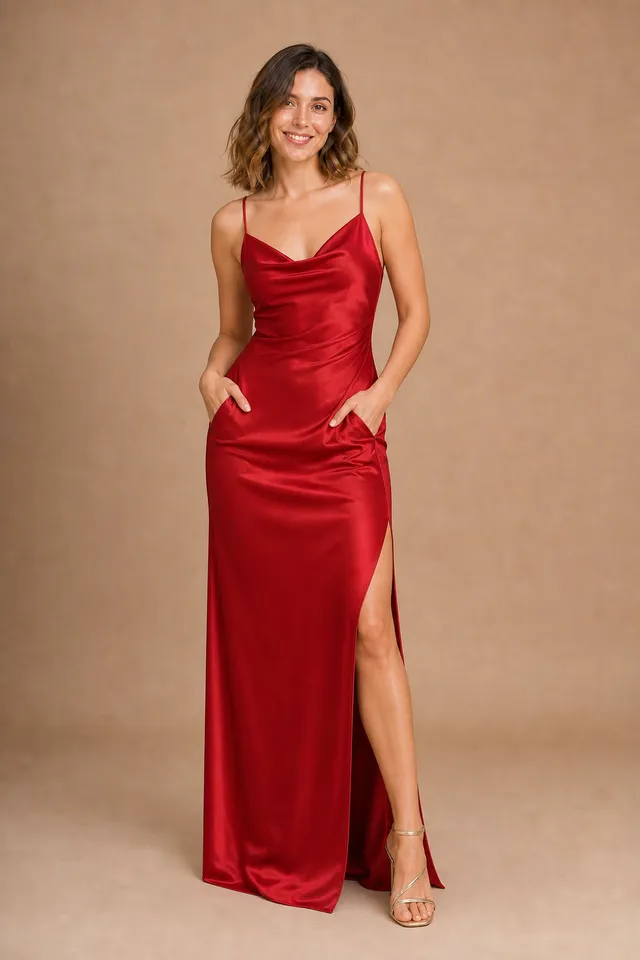
- Choose a preset. Browse women's dresses (red evening gown, little black dress, lace wedding gown and more) or men's suits (navy business suit, black tuxedo, linen suit…). Every preset is shown on the same model so you can compare styles side by side.
- Upload a reference. Found a dress online or a look on someone else? Upload that picture and the AI will transfer the garment — its cut, color, fabric and pattern — onto you, ignoring the person and background in the reference.
You can also add a short note such as "make the dress navy blue" to fine-tune the result.
3. Generate and download
Click Change clothes. Most results are ready in 20–60 seconds. You can download the full-quality original, try another style, or find every result later in your private History.
Tips for more realistic results
- Match the framing. A full-length gown looks best on a full-body photo; a blazer works fine on a waist-up shot.
- Avoid covering the body. Bags, crossed arms or heavy coats make it harder for the AI to understand your shape.
- Keep the pose simple. Standing or slightly angled poses give the cleanest fit. The AI keeps your original pose and camera angle, so the new outfit is drawn from the same view.
- Use clean reference images. Product photos on a plain background transfer most accurately.
What people use it for
- Shopping with confidence. Preview a dress or suit before buying and avoid returns.
- Event planning. Compare wedding, prom or black-tie outfits in minutes.
- Online sellers and creators. Create lookbooks, product mockups and social posts without a photoshoot.
- Just for fun. See yourself in styles you would never normally try.
Is it free?
Every new account gets 3 free generations. After that, you can buy one-time credit packs that never expire — see pricing. Your photos and results stay private to your account, and you can delete them at any time.
Try it now
Ready to see yourself in something new? Open the AI Clothes Changer, upload a photo and pick your first look. Planning a beach trip instead? Try the AI Bikini Generator for swimwear.